Group Banner Tool
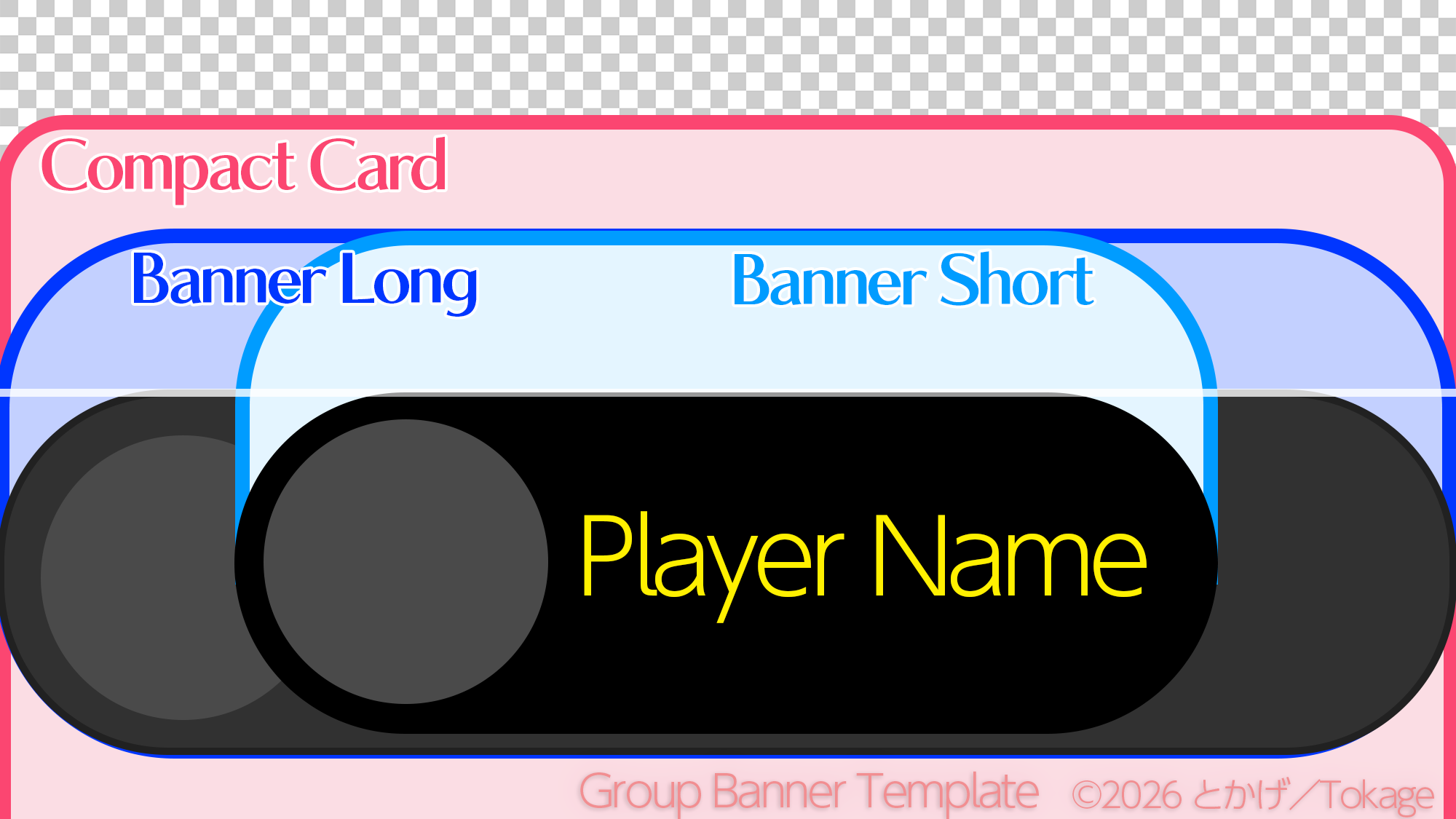
How to: Drop an image onto the editor canvas, then drag / zoom to position it. Further images stack on top as layers, e.g. a logo (up to 4). Keep logos and text inside Banner Short.
1
Drop image
→
2
Position
→
3
Save PNG
Just want the template image? Download it here.
Editor canvas (drag to move / Ctrl+wheel to zoom)
Layers
100%
In-game previews
Nameplate
Banner Short (short name)
Banner Long (long name)
Group page
Posts
Instances
Events
Gallery
Group Info
10
28
Public
JPN
Compact card
Group name
Group description
1
GROUP.1234
Keep logos and text inside Banner Short
- Banner Short short name
- Banner Long long name
- Compact Card
- Hidden behind the name
- Group page area
- Everything runs in your browser. Your image is never sent to a server
- Exports a 2000×1125 PNG (the guide frames are not included)
- For fills, mosaics and annotations, try Image Utility
© 2026
 とかげ/Tokage
v?
とかげ/Tokage
v?
Details (coordinates & controls)
- Coordinates were measured in VRChat (on the 2000×1125 canvas)
- Banner Short: x 324–1672, y 317–534
- Banner Long: full width, y 314–534
- Compact Card: full width, y 158 to the bottom
- Group page: full width, y ≈ 394–731 (dimmed to about 75%)
- Load an image by dragging & dropping it onto the editor canvas, via the "Add image" button in its top-left corner, or by pasting with Ctrl+V
- Layers: the first image is the background (covers the canvas); later images are placed to fit inside Banner Short and stack on top. Click a layer on the canvas to select it; drag a chip left or right to reorder and click ✕ to remove. Hover a chip to see its file name
- Ctrl+Z undoes, Ctrl+Y (or Ctrl+Shift+Z) redoes. The ↶ ↷ buttons next to the layer row do the same
- Zoom ranges from 25% to 400% (100% = Fit). Ctrl+wheel: ±5%. Arrow keys: move 10px (1px with Shift)
- Empty space is filled with a blurred copy of the image, or the dark color
#020611